TLDR: I built a tiny (very inaccurate, but fun) political simulation game. You can play it at polplay.indigo.spot.
If you’ve spent any time in the niche world of political strategy games, you’ve probably hit the same wall I did. Lawgivers is a great game for mobile, but it’s more focused on the governing, and The Political Process is probably the gold standard for depth on desktop, but is a little too detailed and laser-focused. I wanted a sandbox where I could define the exact demographic makeup of a country and see how different party platforms would actually clash mathematically.
So, I started building The Political Playground.
The Iteration Cycle: From Python to Vite
The project has gone through three distinct “lives” based on whatever I was learning at the time.
- The CLI Era (Python): This was basically just a bunch of
if/elsestatements and a bunch ofrandomcalls. It was a text-based script where you’d feed in a list of parties, and it would spit out a final percentage. It developed into a bigger simulation, where it would model individual voters, but this quickly got heavy for Python to process, so I cut down the sample size, and implemented heuristics. I also eventually added Matplotlib to generate some bar charts, but it was still more of a mathematical experiment than a game, which was simply a result of my technical skill level at the time, when I was still in school. - The Web Migration (Next.js): After a year-long hiatus during my transition from sixth form to uni, I revived it. I initially went with Next.js because I wanted to learn the framework, and converted the whole Python program into Javascript, stripping out all of the bloat I had left in when I wrote my voting simulation logic. I initially hosted it on Vercel, and worked on it in my spare time, then moved to Sherpa.sh to experiment with different deployment pipelines. In about January 2026, Sherpa.sh shut down, and I had to move the project again.
- The Current State (React + Vite): I realized that because the simulation logic is entirely client-side, I didn’t need a server or SSR (Server-Side Rendering). I stripped out the Next.js boilerplate, migrated to Vite, and turned it into a static React app. It’s now hosted on GitHub Pages, which makes deployment as simple as a
git push.
The Logic for Voter Demographics
The main focus of the project is the voter modeling engine. Instead of a simple “liberal vs. conservative” slider, I’ve implemented a seven-axis system, along with weighting, trends, voter blocs, salience, and loyalty factors. It is by no means accurate enough for a real-life polling model, but it is accurate enough to be fun.
Every voter “clump” in the simulation is defined by coordinates on these scales:
- Progressive > Conservative
- Socialist > Capitalist
- Authoritarian > Liberal
- Religious > Secular
- Environmentalist > Industrialist
- Nationalist > Globalist
- Militarist > Pacifist
The initial versions of the game just generated random noise for each voter based off a ‘national average’, but this was boring, not to mention unrealistic. I quickly ran into problems with this - a party could win easily by simply becoming more centrist, and becoming more extreme would never win more votes unless it was going directly towards the national average. So, I added the ability to define voter blocs, which are groups of voters who are more likely to vote for certain parties or vote specific ways. This way, I can avoid the classic bell curve, and include different spikes - for example, voters who are socially conservative but economically left-wing, as well as a large bloc of centre-right secular voters. I also added the ability to define trends, which are factors that can influence voter behavior over time. Finally, I added the ability to define loyalty factors, which make voters stick with a party they’ve previously supported.
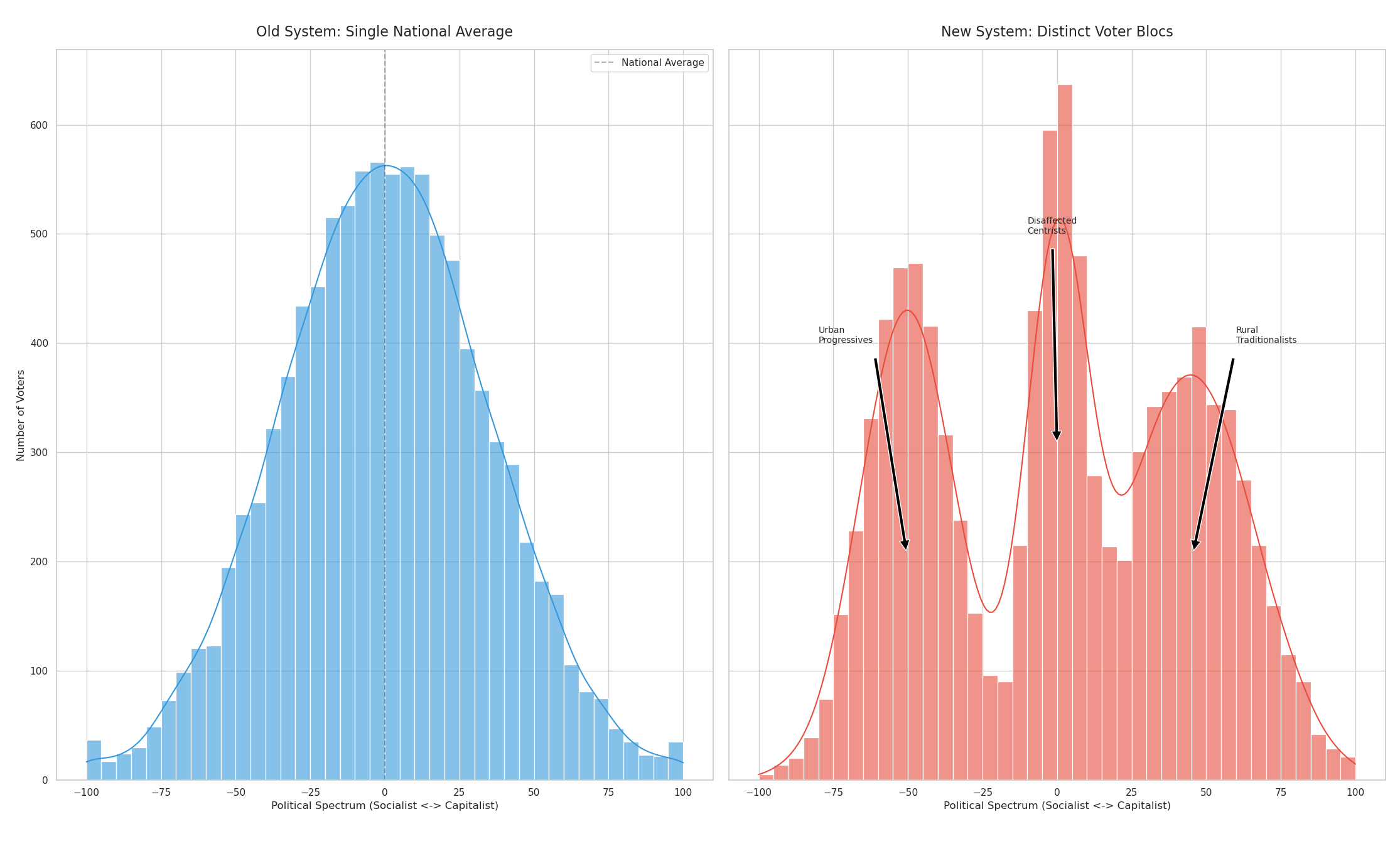
For now, I’ve manually defined all of these blocs and voting demographics for each country and each party, which is why I have disclaimers everywhere stating the inaccuracy of the simulation - it is simply a game which I find quite fun.
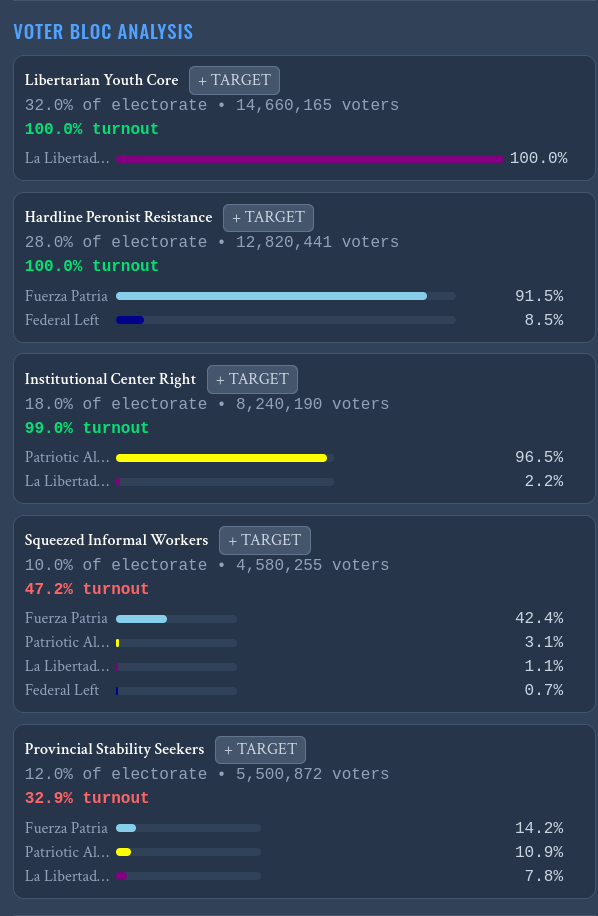
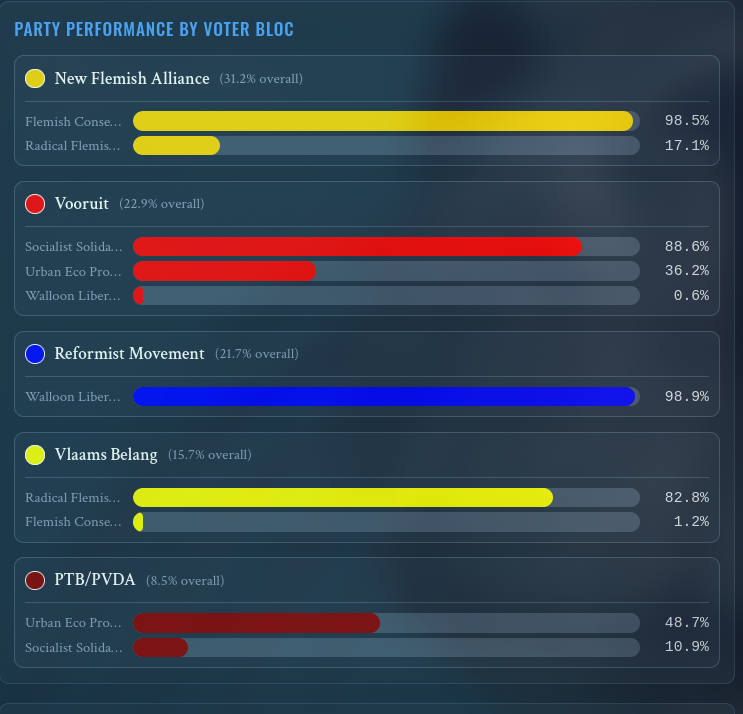
The game now generates distinct groups for each country (like ‘Urban Professionals’ or ‘Rural Traditionalists’). I use the Box-Muller transform over each bloc to make them feel organic, along with ‘salience weights’ - a Rural Traditionalist might care significantly more about socially conservative views than the economic axis. Each of these blocs are displayed in the statistics view while you are campaigning, and you can see which parties they are supporting.
How the “Vote” is Calculated
The engine uses a distance-based formula to determine voter preference. Essentially, for every voter group V, it calculates the distance to every party P in the n-dimensional space (where n=7).
The simplified logic looks something like this:
    // Iterate through all 7 political axes (VALUES)
    for (let o = 0; o < VALUES.length; o++) {
      const voterVal = data[o][voterIndex];
      // Calculate squared difference (Euclidean distance component)
      eucSum += Math.pow(voterVal - cand.vals[o], 2);
    }

    let eucDist = eucSum;

    // Apply party popularity effect (Popularity acts as gravity, reducing distance)
    const popularityEffect = Math.pow(Math.max(0, cand.party_pop) * 3, 1.4);
    eucDist -= popularityEffect;

    // Apply specific election swing/momentum if present
    if (cand.swing) {
      eucDist -= (cand.swing * 5) * Math.abs(cand.swing * 5);
    }
I also added a ‘bandwagon’ momentum simulation, for when a party gains vote share because of a positive event, this effect is stretched over multiple weeks, to represent real-world poll bumps:
// Calculate momentum from recent performance
if (candidate.previous_popularity !== undefined) {
    const momentumChange = candidate.party_pop - candidate.previous_popularity;
    // Momentum factor - carry forward 30% of recent change
    candidate.momentum = (candidate.momentum || 0) * 0.7 + momentumChange * 0.3;
}

// Incumbency effects - popular parties face erosion, struggling ones get recovery
let incumbencyEffect = 0;
if (candidate.party_pop > 10) {
    incumbencyEffect = -0.1 * (candidate.party_pop / 20); // Voter fatigue
} else {
    incumbencyEffect = 0.05; // Small recovery boost for struggling parties
}

// Bandwagon effect - leading parties get small boost
let bandwagonEffect = 0;
if (candidate === leader && candidate.party_pop > 15) {
    bandwagonEffect = 0.2;
} else if (candidate.party_pop < -10) {
    bandwagonEffect = -0.1; // Additional losses for struggling parties
    }
The distance formula above was a good start, but it made voters switch too easily. To fix this, I added two features - softmax, and apathy. I added a drifting trend feature - to add another level of dynamic voter relationships, where the voters’ opinions change slightly, forcing the player to decide to pander to the news cycle, or stick with their principles and hope the opinions of the electorate shifts back, before they lose their chance to grab extra voters. Instead of a hard binary choice, the voters use probabilistic voting using a Softmax function - this introduces realistic noise and allows for actual upset victories if traditional parties drift too far too quickly.
export function applyTrendStep(
  trend: ActiveTrend,
  countryValues: PoliticalValues,
  votingData: number[][]
): TrendStepResult {
  // ... shift calculations ...
  const clampedValue = Math.max(-100, Math.min(100, nextValueRaw));
  const actualShift = clampedValue - currentValue;

  // Apply the shift to individual voter data
  if (axisIndex !== -1 && votingData[axisIndex]) {
    const axisData = votingData[axisIndex];
    for (let i = 0; i < axisData.length; i++) {
      // Add noise so voters don't move as a perfect monolith
      const noise = actualShift === 0 ? 0 : (Math.random() - 0.5) * Math.abs(actualShift) * TREND_VOTER_NOISE;
      const newVal = axisData[i] + actualShift + noise;
      axisData[i] = Math.max(-100, Math.min(100, newVal));
    }
  }
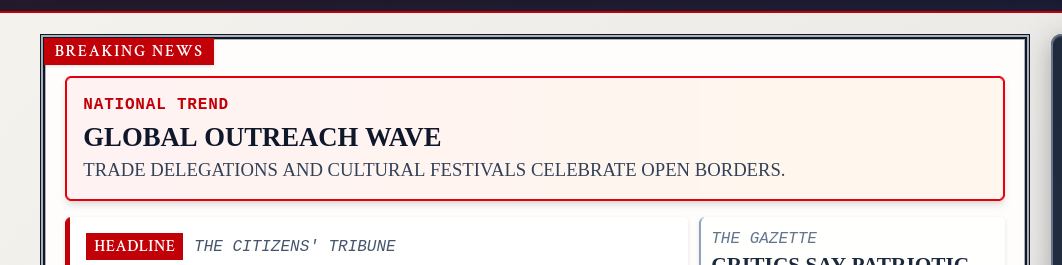
An example of a temporary trend (pro-globalist).
I also had to solve the ‘centrists flip-flop very easily’ problem. To counter this, I added Turnout Gating and Loyalty Inertia. If the least-bad party is still mathematically distant (defined by a TOO_FAR_DISTANCE constant), then they simply stay home. Voters have memory - the engine tracks LAST_CHOICES and applies a LOYALTY_UTILITY bonus. You can’t just flip a voter by changing one policy - you have to break their existing habits and loyalty bit by bit.
News and Events
To model the event cycle, I decided to lean into the newspaper-style UI I’d already built, and treat the events as news articles.
To make each game feel more dynamic, I have some dynamic elements in the headline generation - again, there’s a massive JSON file with a bunch of headlines and what triggers them, such as the player professing support for a specific policy, or a national trend, with code that looks a bit like this:
switch (valueKey) {
    case "soc_cap":
    if (voterPosition > playerOldPosition) {
        const votPrefNews = [
        `${nameChoice}'s Pro-Business Stance Boosts Voter Confidence`,
        `Voters Applaud ${nameChoice}'s Economic Growth Agenda`,
        `${nameChoice} Declares: 'Let the Market Decide!'`,
        // ... strings ...
        ];
        voterPreferenceAnalysis.push(votPrefNews[Math.floor(Math.random() * votPrefNews.length)]);
    } else {
        const votPrefNews = [
        `${nameChoice}'s Social Spending Push Resonates with Voters`,
        `Public Backs ${nameChoice}'s Vision for a Fairer Society`,
        `${nameChoice} Promises 'Healthcare for All'-Crowds Erupt in Cheers`,
            // ... strings ...
        ];
        voterPreferenceAnalysis.push(votPrefNews[Math.floor(Math.random() * votPrefNews.length)]);
    }
    break;
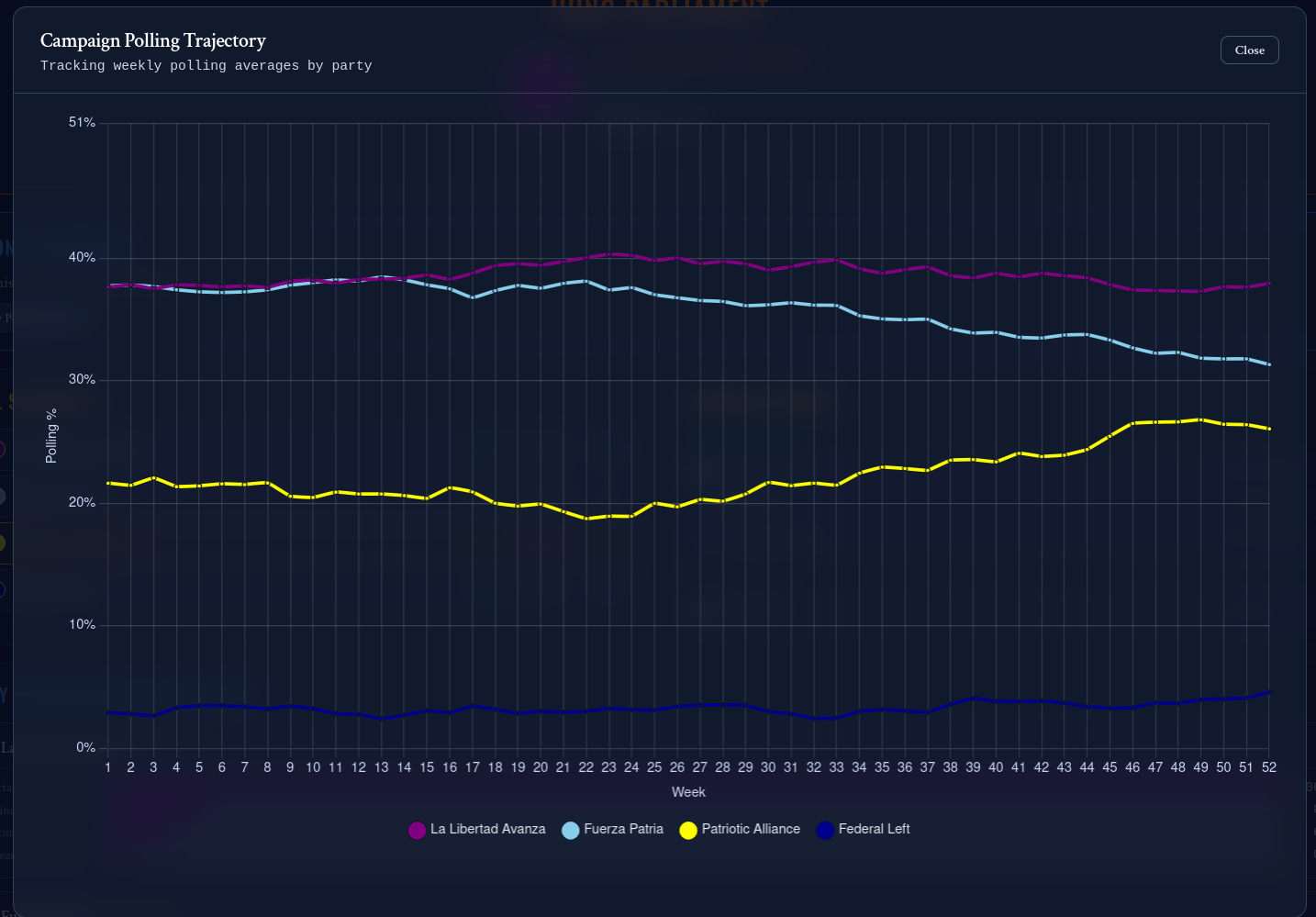
When I moved from the original single election day simulation to instead simulating the vote polling for each week leading up to the election, I needed to write a game state:
case 'NEXT_POLL':
    if (state.currentPoll >= state.totalPolls) return state;

    const nextPollNum = state.currentPoll + 1;
    // ... trend logic ...

    const { results: newResults, newsEvents } = conductPoll(votingDataRef, state.candidates, nextPollNum);

    // ... polling analysis logic ...

    // Combine all news sources into a single array first
    const allNewsItems = [
    ...trendNews,
    ...state.playerEventNews,
    ...newsEvents,
    ...partyPollingNews
    ];

    // Sort the combined array by word count in ascending order to create visual variety
    const sortedPoliticalNews = allNewsItems.sort((a, b) => {
    if (Math.random() < 0.6) {
        return (a.split(' ').length - b.split(' ').length);
    }
    else { return 1;}
    });

    return {
    ...state,
    currentPoll: nextPollNum,
    pollResults: resultsWithChange,
    politicalNews: sortedPoliticalNews, // ... etc
    // ...
    };
As you can see, it’s built as a sort of state machine, where NEXT_POLL takes the game to the next state, and START_COALITION_FORMATION begins the coalition formation, etc etc.
Coalition Algorithms
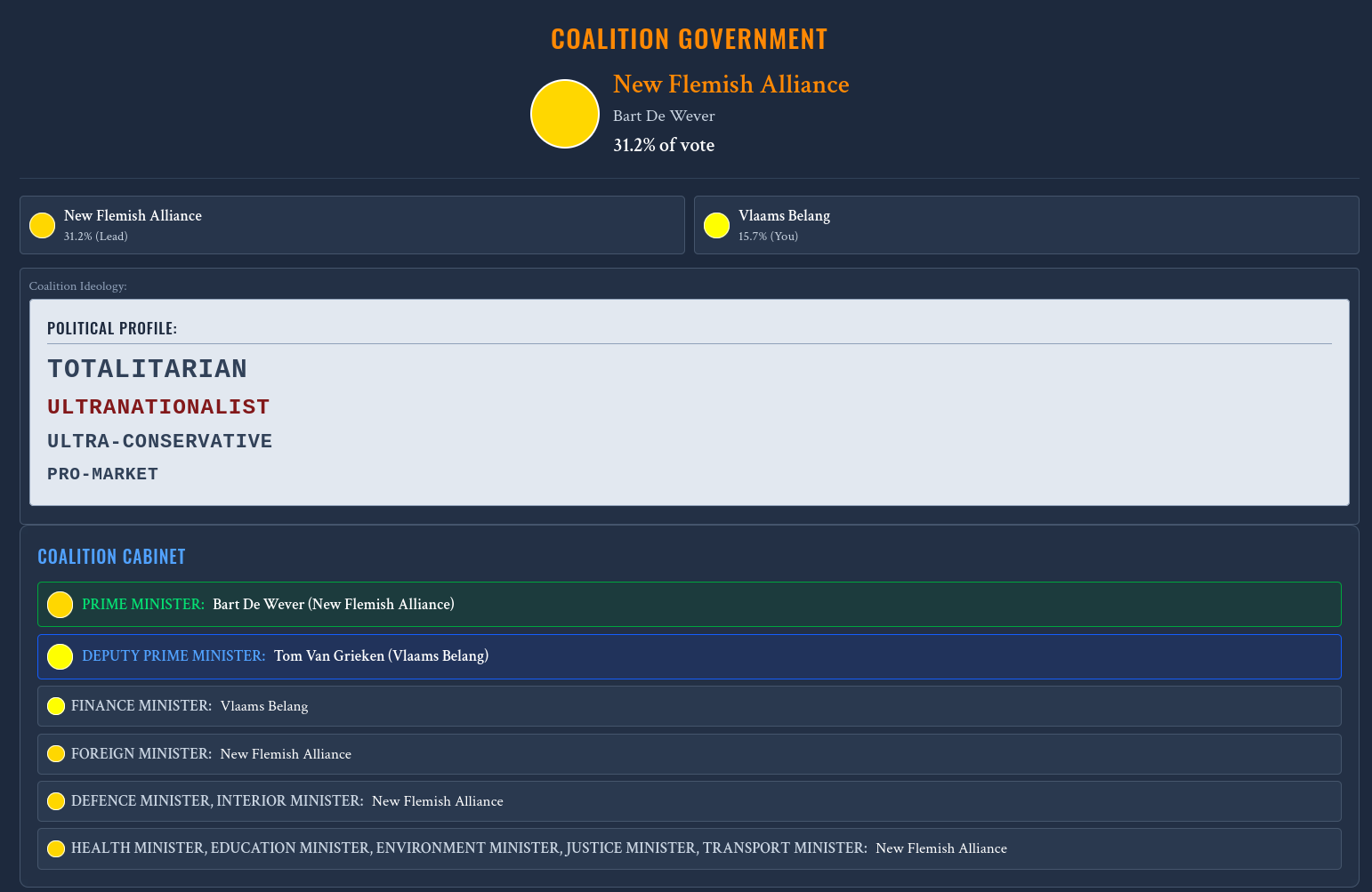
Speaking of coalitions, they actually function very similarly to the voting - I calculate the Euclidean distance between the largest party and its potential coalition partners, but importantly I add extra conditions for opposing viewpoints (for example, a party with a weak nationalist viewpoint would have better compatibility with a party with a strong nationalist viewpoint, than a party with a weak globalist viewpoint.)
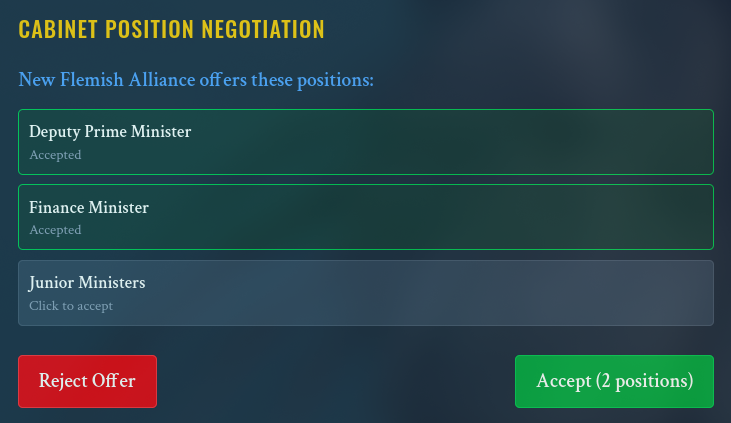
I soon added more features on top of simple ‘compatibility’ though - you can form a ‘government’ made up of cabinet positions. Not all ministries are created equal - we assign importance weights for each position, based on the parties’ ideologies - Green parties will demand the Environment Ministry, while Militarists will fight for Defence and Foreign. The engine will dynamically generate these demands, as well as policy requests.
Features and Customisation
I’m pretty proud of the flexibility I’ve managed to keep:
- JSON-Driven Data: All the party data is stored in a massive JSON file. This makes it incredibly easy to add new scenarios without breaking the core engine.
- The Campaign Loop: Instead of an instant result, the game plays week-by-week. You get prompted with events (e.g., an economic scandal or a foreign policy crisis) that shift the coordinates of either the parties or the voters themselves.
- The Custom Party Builder: I realised this was a must-have to make anybody other than me interested in the game. You can merge parties into a coalition or build a new one from scratch, manually setting their -100 -> 100 values on each of the seven axes.
Go check it out at polplay.indigo.spot!